Security you can check
You will not read “military-grade encryption” or “100% secure” here. You will read what Cryptnook Vault uses, why, and what it does not protect you from.
Well-known tools, nothing home-made
Rule number one of the project is never to implement an algorithm of its own. Everything comes from a well-reviewed, widely used library.
libsodium
The library that does all the encryption, on PC and phone. Audited, widely used and hard to misuse.
XChaCha20-Poly1305 for the content
Every chunk of every file is encrypted with its own random header and bound to its file and position. If someone changes, moves or truncates a chunk, it is detected.
Argon2id for the password
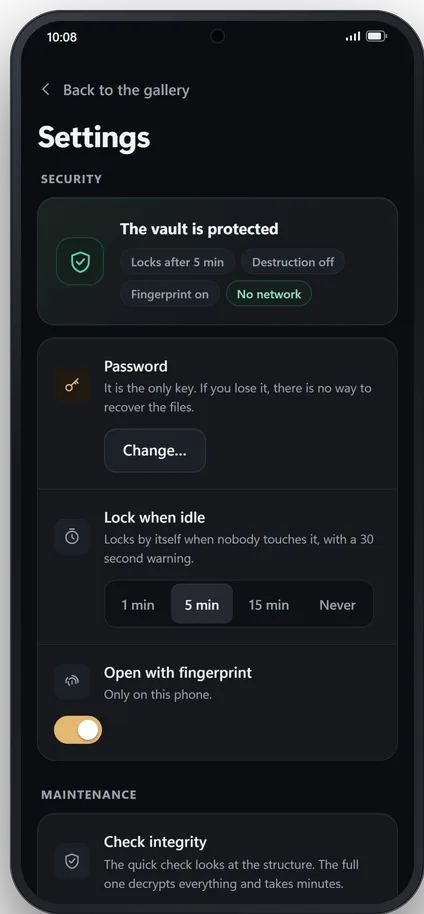
The key is derived from your password with Argon2id, which makes every guess cost memory and time. Your password does not encrypt the files: it wraps a random master key created with the vault. That is why changing it takes a second and does not mean re-encrypting everything.
Names and folders, encrypted too
Names, folders, dates and tags live in an encrypted index. The chunks on the drive are named in a way that says nothing.
Pulling the drive out does not break the vault
Drives get pulled out in a hurry, cables get knocked and batteries run out. The vault is built for that: what was already saved stays there, and at most you lose the last thing being saved, which you just add again.
The header, stored twice
It holds the master key wrapped with your password, and nothing opens without it. It is stored twice so that a pulled drive in the middle of a write never leaves the vault unopenable.
The index, stored twice
Names, folders, dates and tags are also stored twice, for the same reason: so that a cut never leaves you without knowing what is inside.
Every chunk, checked
Each chunk carries its own check, so a damaged one is detected instead of opening wrongly. On Windows, “Check integrity” goes through the whole vault and cleans up leftovers from an interrupted write.
Nothing leaves your device
Neither app opens a network connection. There are no accounts, no analytics, no licence checks and nothing sent to any server: there is no server. Updates come from the store, not from the app.
This website does the same: no cookies, no analytics and nothing loaded from other sites.
Destruction after repeated failures, if you turn it on
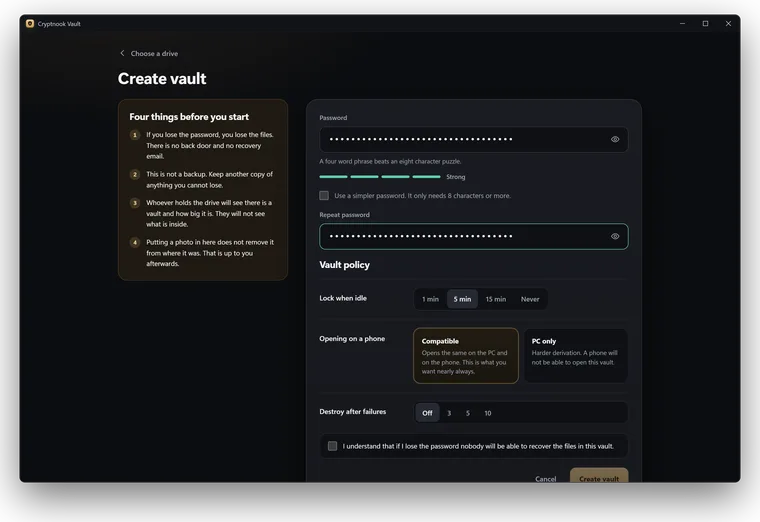
You can make the vault destroy itself after a number of wrong passwords. When the limit is reached, the key is overwritten and the content becomes unreadable forever, for you too.
It is off by default, because a hurried mistake counts as an attempt too. The main defence against password guessing is not the limit, but the cost of Argon2id and a long password.
What you should know before trusting it with anything
A privacy product that over-promises is worse than one that promises nothing. These are its limits, stated plainly.
- This is not a backup. Keep another copy of anything you cannot afford to lose.
- Whoever has the drive will know there is a vault and how big it is. They will not know what is inside.
- If your computer or phone is infected, this does not protect you.
- Putting a photo in the vault does not delete it from where it was.
- If you turn on destruction after failed attempts, it is irreversible and there is no way back.
- Changing only the password does not lock out someone who knew the old one and could copy the drive. If you suspect someone had both, change the master key too: the app re-encrypts every file with a new key, which takes longer the more the vault holds.
- There is no hidden volume or decoy password: the existence of the vault cannot be denied.
- On Android, some video formats may need the app’s internal cache while they play; it is wiped when locking and on start-up. On Windows, nothing decrypted is ever written to disk.